Live at claimboard.ashwinrajc1.workers.dev

KDT-SCANS
ClaimBoard

Every chapter. Every task. Every worker. Tracked.
The internal work tracker for KDT-SCANS — where mods announce work in Discord, translators claim it, and nothing ever falls through the cracks.

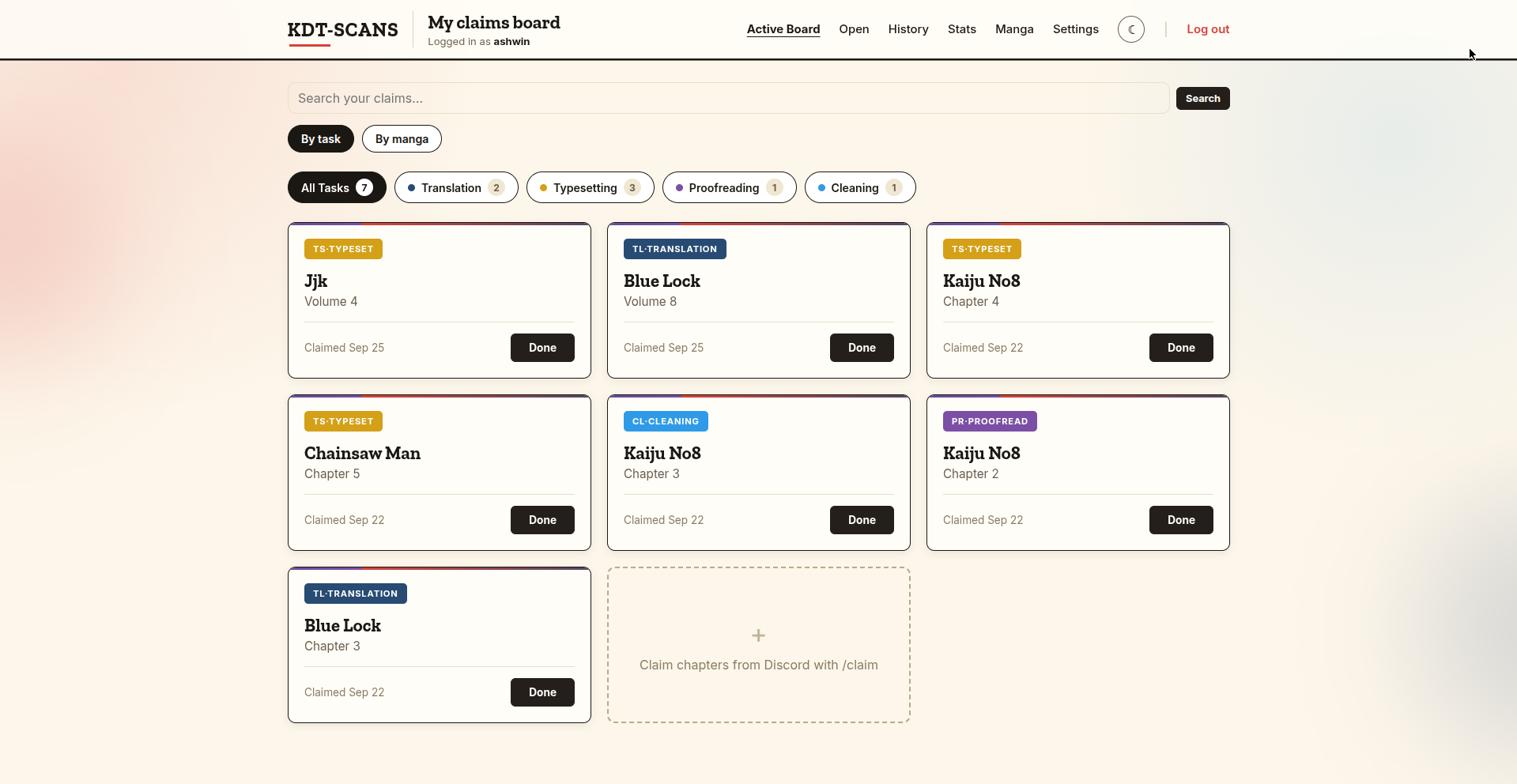
My claims board — task view
10+
App pages
5
Discord commands
4
Work types tracked
∞
Chapters, forever
Features

Everything your team needs

From Discord slash commands to live pipeline views — ClaimBoard connects every part of your scanlation workflow in one place.

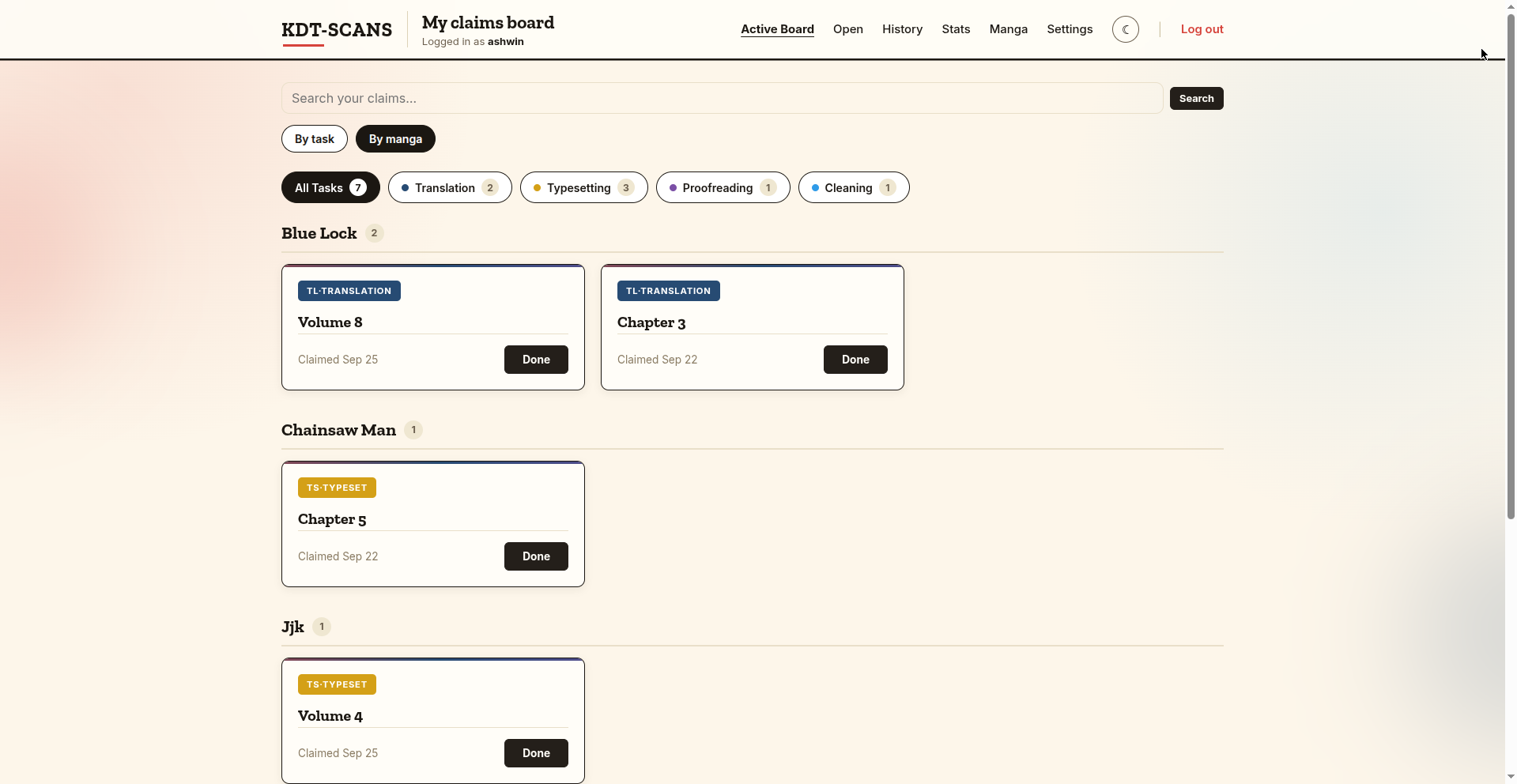
My claims board — by task view
📋

My Claims Board

Your personal dashboard shows every open claim. Switch between By task (flat card grid) and By manga (A–Z grouped sections). Filter by work type, search by manga or chapter, and hit Done when finished — the claim moves to permanent history, never just disappears.
By task / By manga Search Work-type filters Done flow
Open Work board
📌

Open Work Board

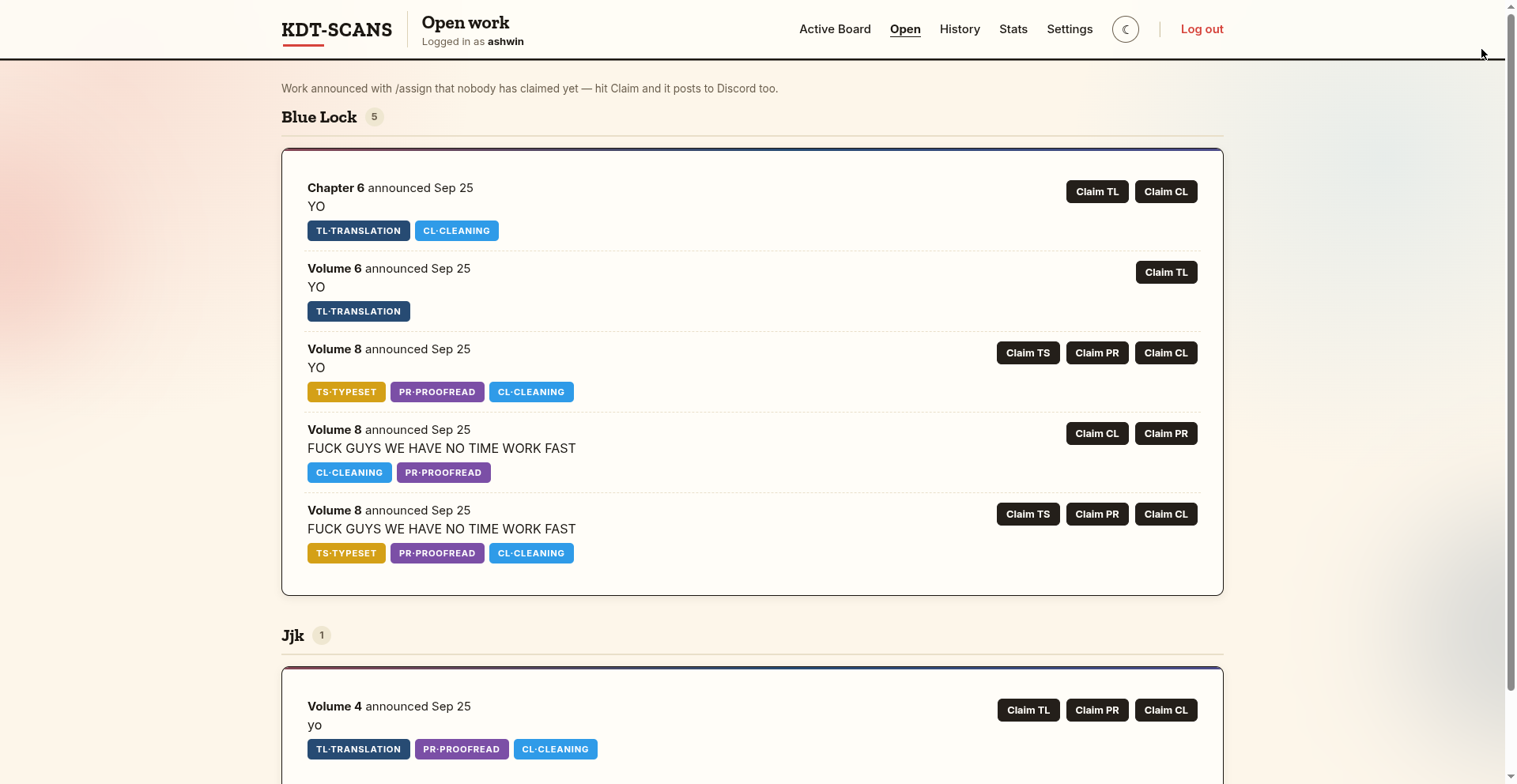
Every /assign announcement with unclaimed slots lands here — grouped by manga, with per-work-type Claim buttons. Claiming posts a confirmation back to the Discord channel automatically. Race condition? The board tells you gracefully if someone snagged it first.

Per-type claim Discord notify on claim
Pipeline view
🔄

Pipeline View

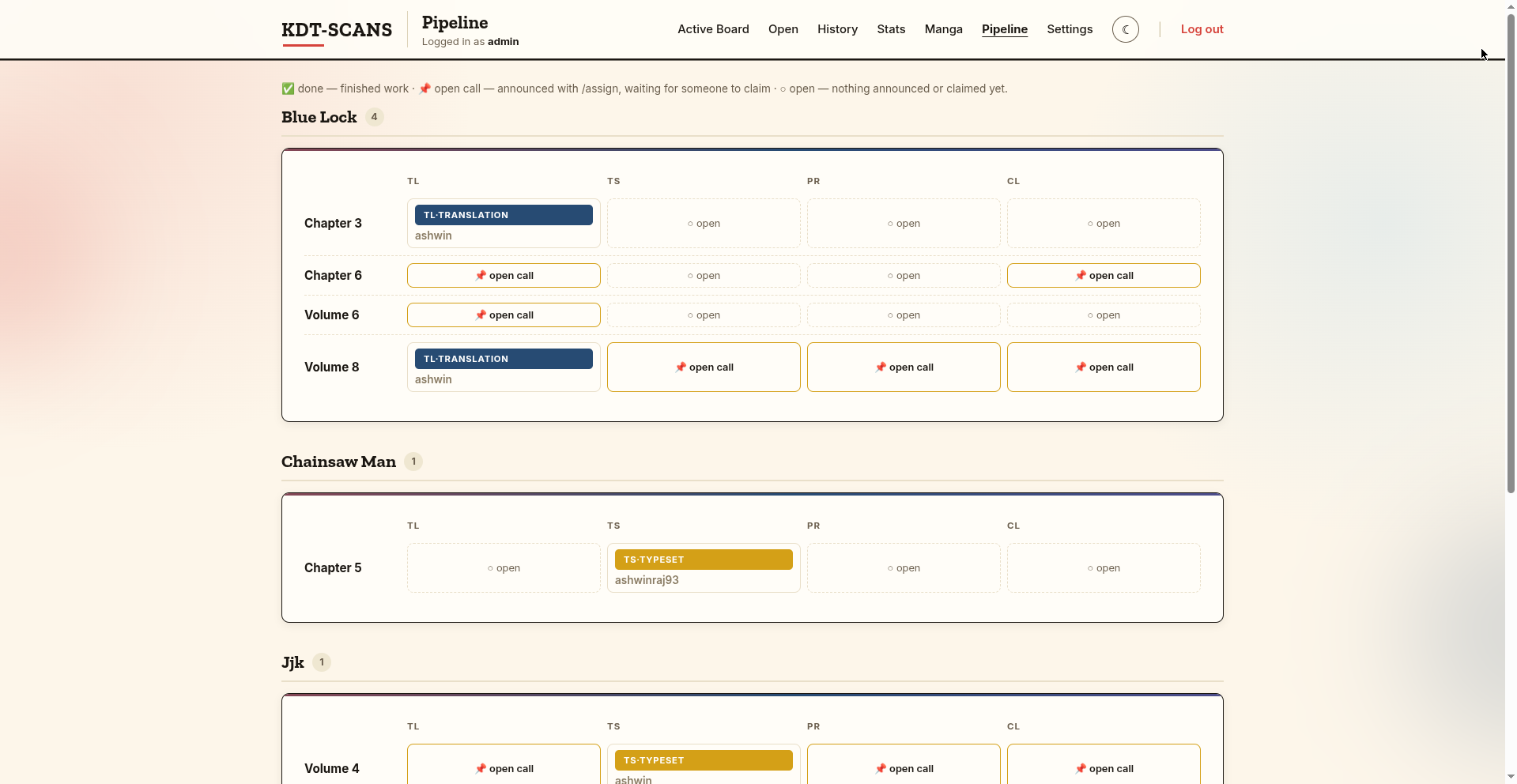
Per manga, per chapter/volume — a 4-slot row for TL / TS / PR / CL. Each slot shows who's working, whether it's an open call (announced, unclaimed), done, or untouched. The full production picture at a glance — admin only.

Admin only TL · TS · PR · CL grid Volume + chapter support
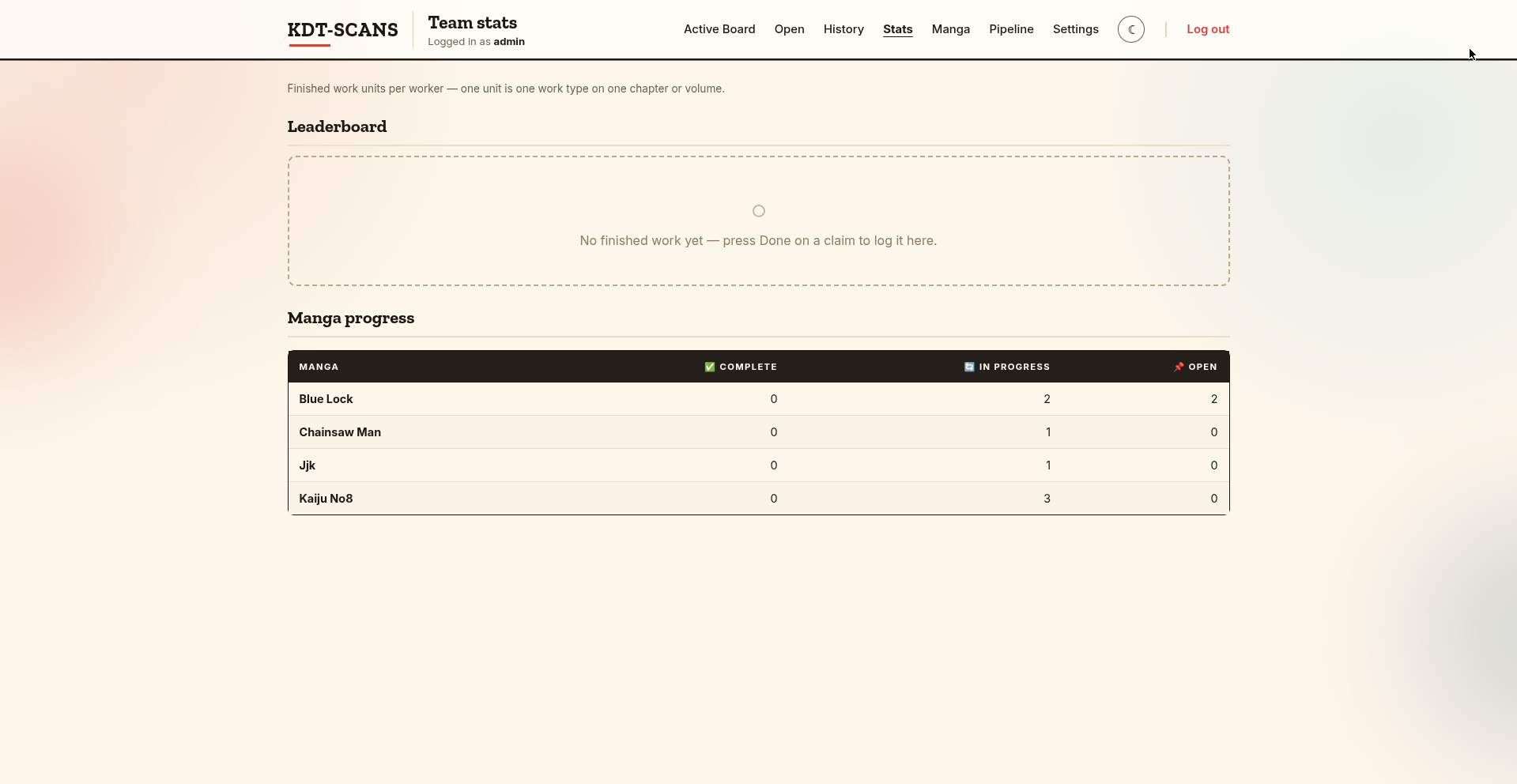
Team stats — leaderboard and manga progress
📊

Team Stats & Done History

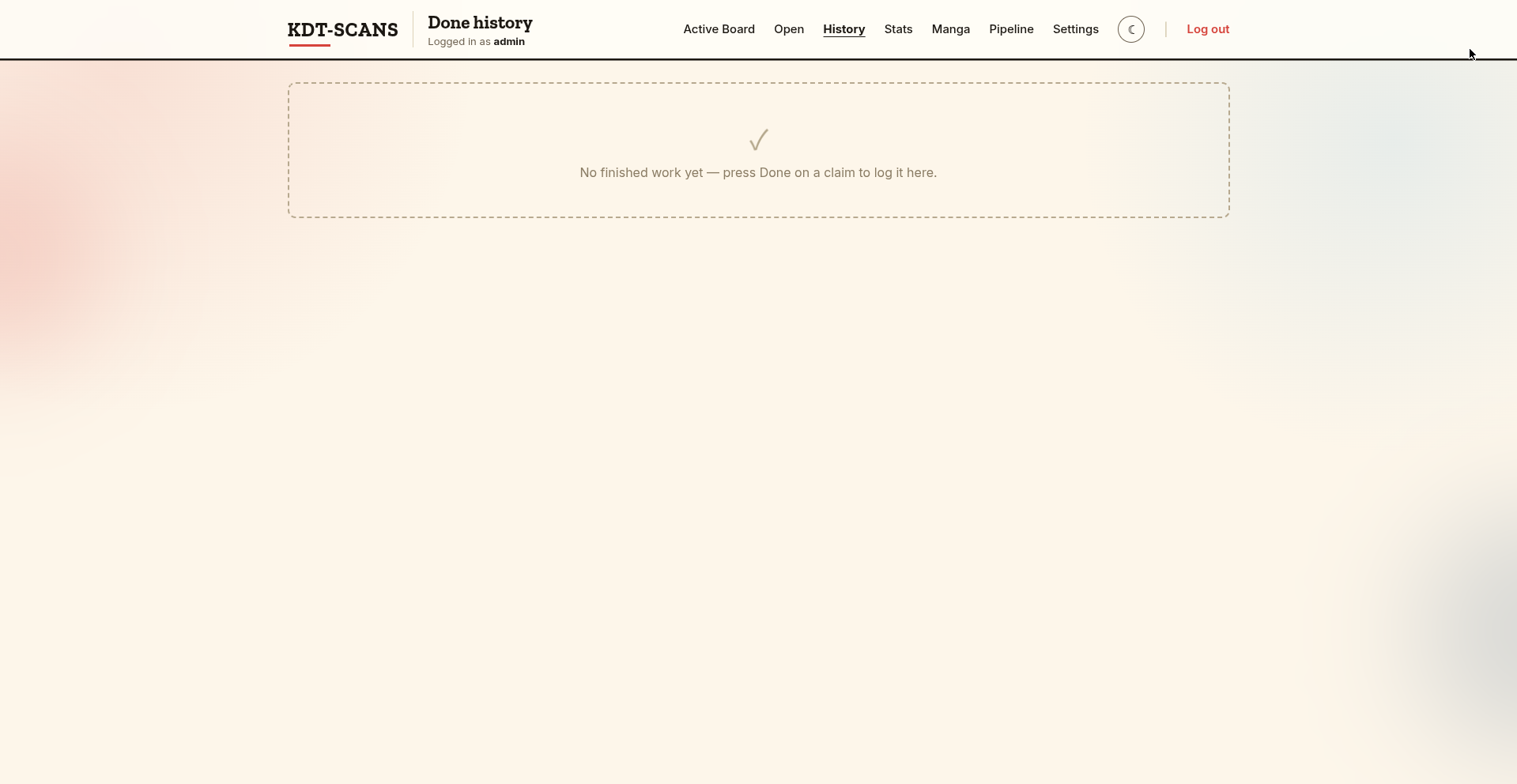
Every pressed Done creates a permanent record in Done History. Team Stats draws from that data: a monthly + all-time leaderboard with 🥇🥈🥉 medals, and a per-manga progress table showing Complete / In progress / Open chapter counts. One unit = one work type on one chapter.

Monthly leaderboard All-time leaderboard Manga progress table Done history
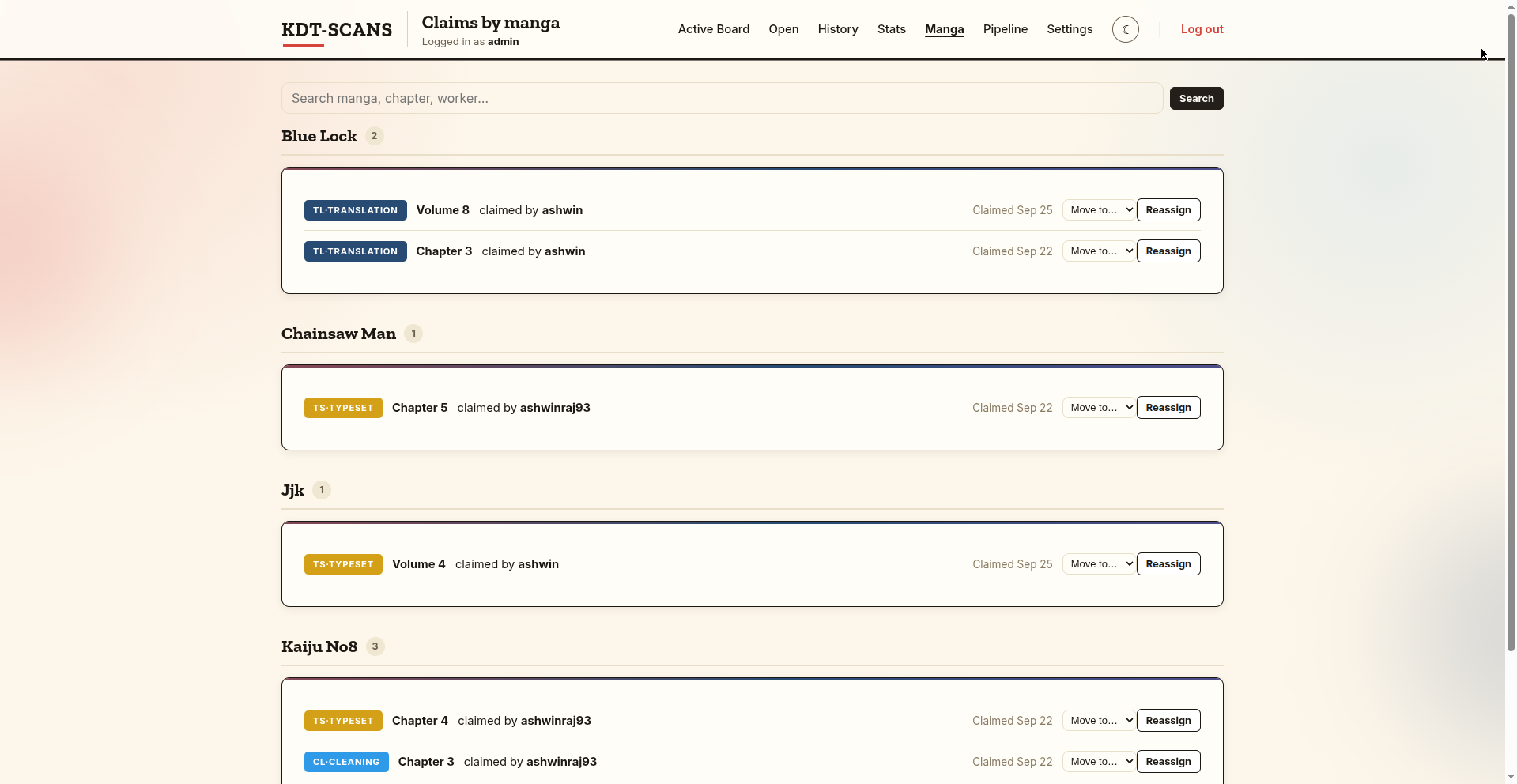
Claims by manga — admin view with reassign
🔍

Claims by Manga

Admins see every open claim across the entire team, grouped by manga. Multi-word search filters across manga, chapter, and worker name. Each row has a Move to… / Reassign combo — reassigning notifies the new worker via a tagged Discord message in the manga's channel (DM fallback if no channel is found).

Admin Reassign + Discord ping Search
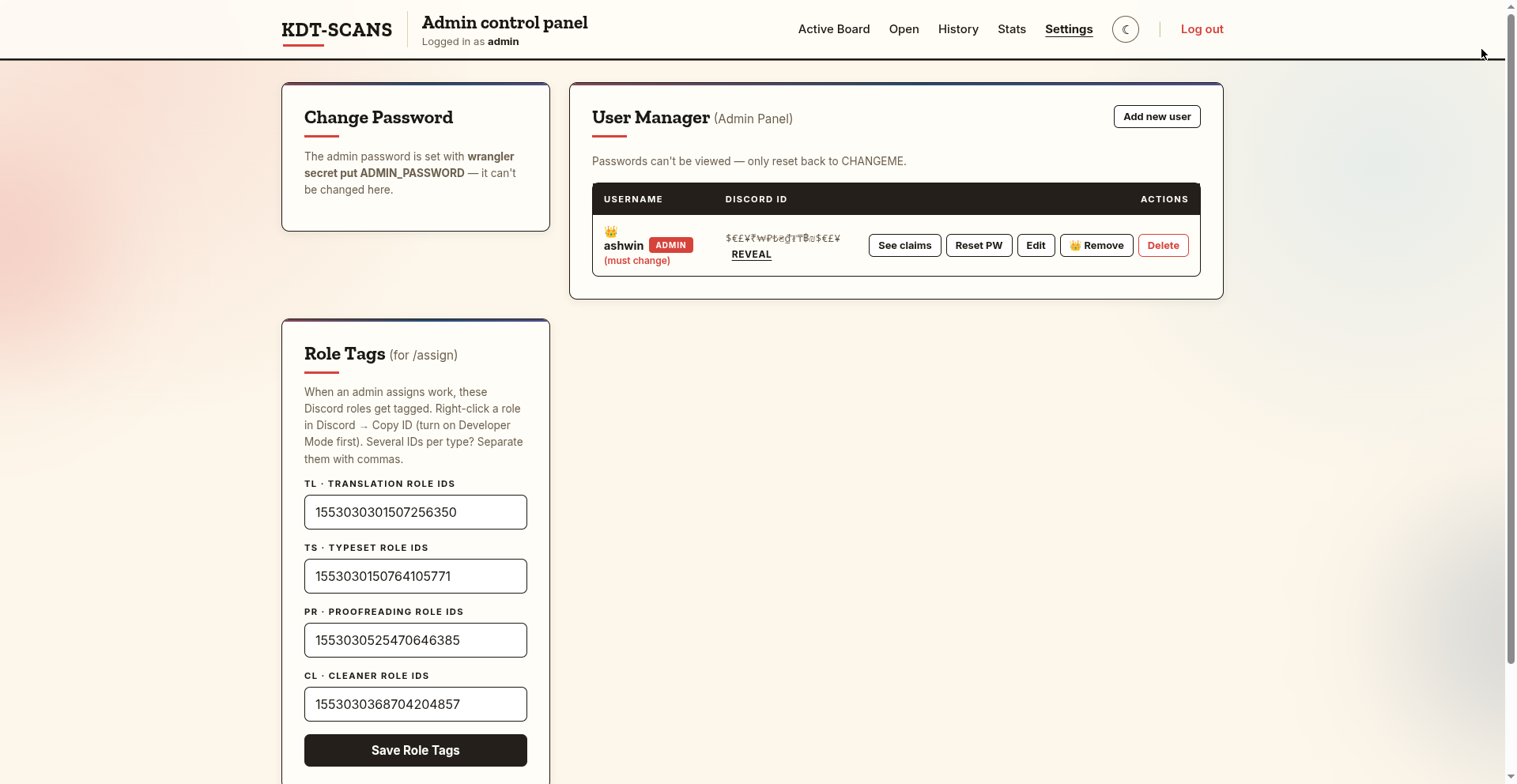
Admin settings — user manager and role tags
⚙️

Admin Suite

Full user manager: create accounts, edit Discord IDs (claims migrate automatically), promote/demote admins, reset passwords to CHANGEME. Role Tags maps each work type to Discord role IDs so /assign pings the right people. Discord IDs masked with a reveal toggle that auto-hides after 5 seconds.

User manager Role Tags for /assign Password reset Promote / demote
How it works

Simple. Transparent. Fast.

Three steps from announcement to completion. No spreadsheets. No DMs. No lost chapters.

1

Announce in Discord

A mod runs /assign in the manga's channel — specifying chapter/volume, work types needed, and a description. The bot pings the mapped Discord roles and the work instantly appears on the Open Work board.

2

Claim it

Team members claim with /claim in Discord (manga auto-detected from the channel name), or by pressing Claim on the Open Work board on the website. The claim appears on their personal board immediately, and Discord is notified.

3

Track it to Done

When work is finished, the member presses Done. The claim moves to Done history, feeds the leaderboard and manga progress stats, and the pipeline marks the slot complete — all automatically, no admin needed.

Discord Integration

The bot your workflow deserves

ClaimBoard's Discord bot keeps everything in sync — announce work, claim chapters, and get notified, all without leaving Discord.

/claim

Claim a chapter for a work type. Manga name is auto-detected from the channel — just run it without arguments in the manga's channel.

/assign

Admin-only. Announce new work (chapter or volume, one or more work types, description). Pings the mapped Discord roles and feeds the Open Work board and pipeline view simultaneously.

/myclaims

Ephemeral list of your open claims — only you see the response. Up to 25 claims shown.

/seeclaims

Public: shows who claimed what for a manga, visible to the whole channel. Manga auto-detected from channel name, or pass one with manga:.

/board

Posts a private button that links directly to your ClaimBoard dashboard on the website.

Open Work board with Claim buttons per work type
Roadmap

Where we've been & where we're going

ClaimBoard started as a prototype and keeps shipping. Here's the full story.

📦 Past — Shipped · 4 milestones
Foundation
Discord → Database → Website
  • Discord /claim command with PBKDF2 password auth
  • D1 database on Cloudflare Workers (serverless, zero infra)
  • First web prototype — personal claims board
Design system
Full redesign — Figma to production
  • Warm cream paper (#FDF6EA) + Zilla Slab + Inter typography
  • Work-type badge colour system (TL blue, TS gold, PR purple, CL sky)
  • Dark/light theme toggle with localStorage persistence
  • Animated ambient orbs, card hover physics, scroll reveals
v1.0 — Feature complete
/assign, Pipeline, Open Work, Done history
  • /assign with Discord role pings (mapped per work type in Settings)
  • Pipeline view — per manga, per chapter, 4-slot TL/TS/PR/CL grid
  • Open Work board with per-type Claim buttons and race-condition guard
  • Done history as permanent record feeding team stats
  • Volume support (CH/VOL) across all views
v1.1 — Admin power
Reassign, search, team stats, admin promotion
  • Admin reassign with Discord channel notification (DM fallback)
  • Multi-word search across all board and admin views
  • Team stats — monthly + all-time leaderboard, per-manga completion table
  • User manager — promote/demote admins, Discord ID edit with claim migration
  • /myclaims and /seeclaims Discord commands
🟢 Present — Live now
Live at claimboard.ashwinrajc1.workers.dev
Full ClaimBoard — 10+ pages, complete feature set
  • Login with forced password change on first login, password-confirm logout
  • My Claims board — By task & By manga, search, filter chips, Done flow
  • Open Work board, Done history, Team stats, Pipeline view
  • Admin: claims by manga, reassign, user manager, role tags, settings
  • Discord: /claim, /assign, /myclaims, /seeclaims, /board (5 commands)
🔮 Future — Roadmap
Roadmap
Deadlines planned
  • Due dates on /assign announcements
  • Overdue badges on the board and pipeline
  • Automatic Discord nudges when a deadline passes
Roadmap
/unclaim planned
  • Workers release their own claims back to Open Work
  • No admin intervention needed to re-open a slot
Roadmap
Deliverable Links planned
  • Attach a Google Drive / Notion link when pressing Done
  • Links stored in history so admins can retrieve finished files
Screenshots

Every page, in the open

Click any screenshot to zoom in.

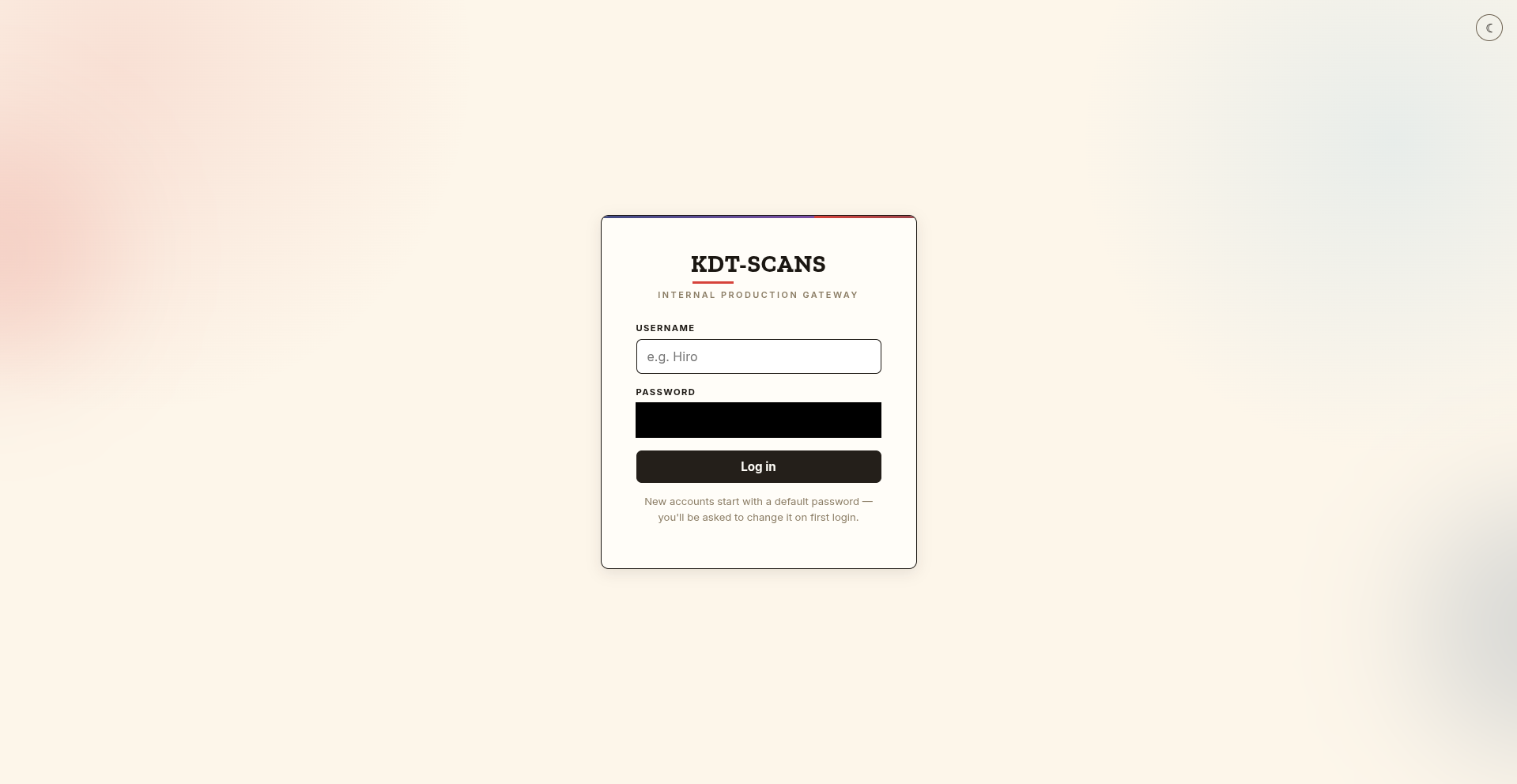
Login page
Claims board task view
Claims board manga view
Open Work board
Done history
Team stats
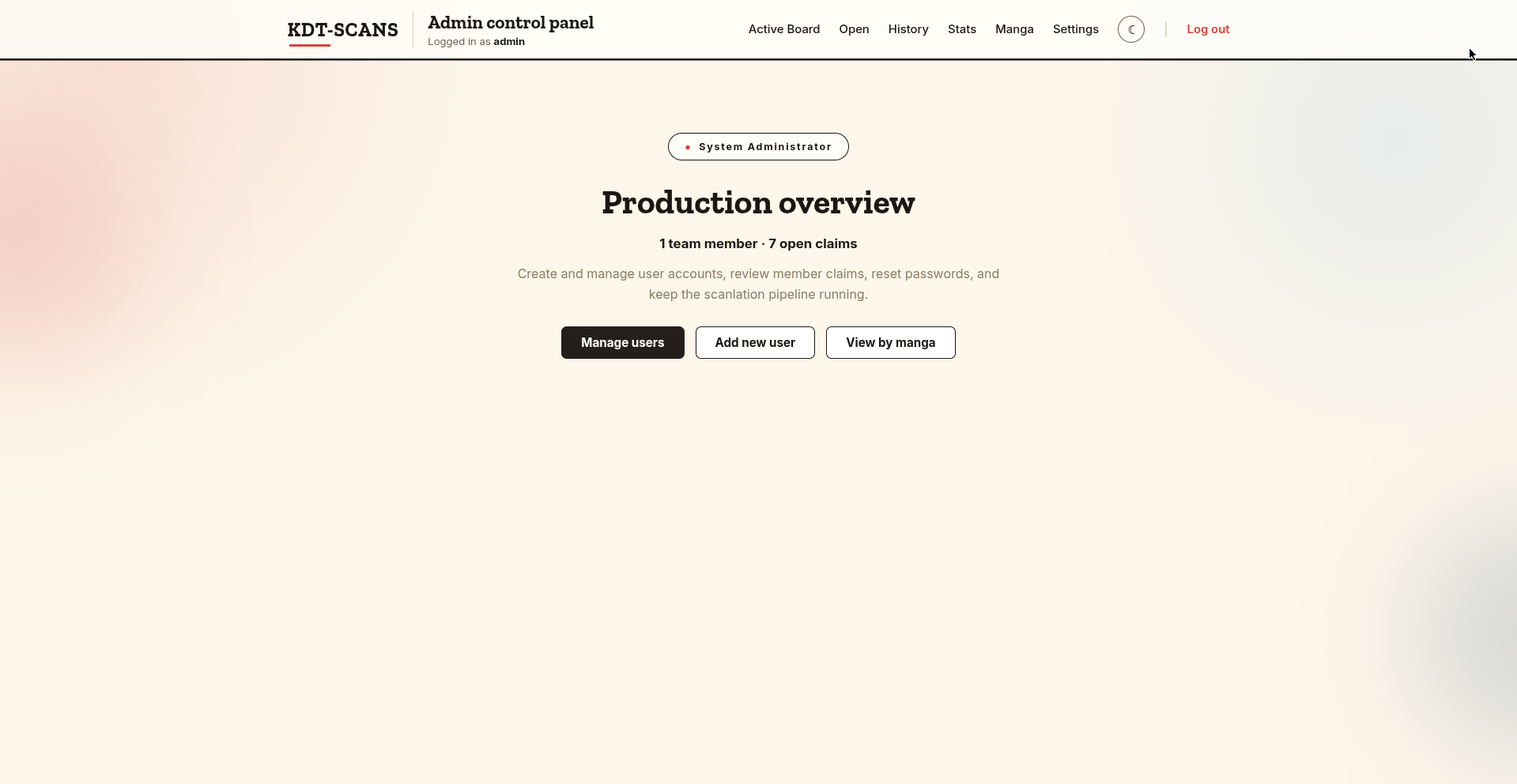
Admin control panel
Claims by manga
Pipeline view
Admin settings